
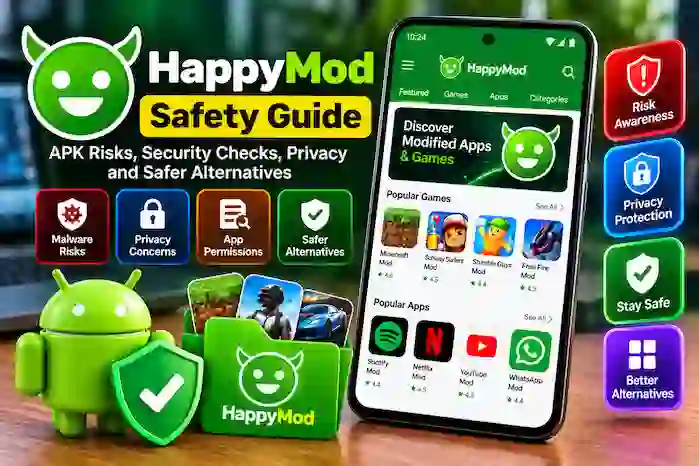
HappyMod is a platform associated with modified Android applications and games. It attracts users interested in exploring different app versions and modifications, but downloading software from third-party sources requires careful consideration. Understanding HappyMod version safety, APK verification, privacy risks, and alternative app sources can help you make more informed decisions.
This guide explains the potential risks of modified APK files, how to evaluate an application’s source, how HappyMod compares with Google Play, and which alternatives may be worth considering when looking for Android apps.
What Is HappyMod?
HappyMod is known for its catalog of modified Android applications and games. Modified applications, commonly called mods, are versions of existing software that have been changed from their original releases. These changes may affect gameplay, advertising, interface elements, or other functionality.
The platform is different from a conventional app store because its catalog focuses on modified versions and related information. However, the presence of a listing does not prove that a file is authentic, authorized by the original developer, or safe to install.
Before choosing any APK, users should consider the source, version details, requested permissions, and possible effects on device security and personal information.
Is HappyMod Safe to Use?
There is no universal safety guarantee for every application listed through a third-party platform. The risk depends on the individual file, its origin, the changes made to it, and the permissions it requests.
An APK may be mislabeled, outdated, modified in unexpected ways, or distributed without the original developer’s authorization. A positive rating or a high download count does not guarantee that the package is free from harmful code.
Users should evaluate each application individually rather than assuming that every listing is trustworthy.
Potential Security Risks of Modified APKs
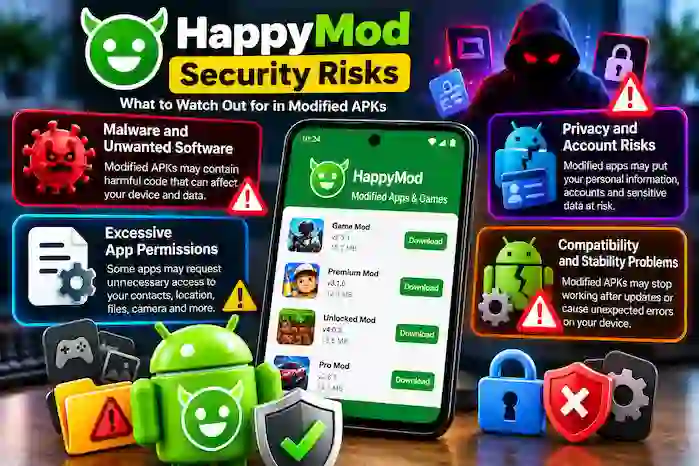
Malware and Unwanted Software
Modified applications may contain unwanted code or behave differently from their original versions. Depending on the file, this could affect device performance, privacy, or security.
Download packages only from sources you can reasonably verify, and use reputable security tools where appropriate. Remember that a security scan cannot guarantee that every threat will be detected.
Excessive App Permissions
Some applications request access to contacts, location, files, camera, microphone, or other device features. These permissions should match the application’s actual purpose.
Review permissions before installation and avoid granting access that appears unnecessary. Be particularly careful with modified applications that request sensitive access without a clear explanation.
Privacy and Account Risks
Apps that handle messages, contacts, passwords, financial details, or personal accounts require additional caution. A modified version may not offer the same privacy protections or update process as the original developer’s release.
Avoid entering sensitive credentials into applications whose publisher and behavior cannot be verified. For important accounts, the original application from a trusted distribution channel is generally the more prudent choice.
Compatibility and Stability Problems
Modified APKs may stop working after an Android update or a change to an app’s online services. They can also contain incomplete modifications or depend on outdated components.
Check the application’s version and device requirements before installing it. If a file behaves unexpectedly, stop using it and investigate the issue rather than repeatedly installing different packages from unknown sources.
How to Check an APK Before Installing It
A careful review can reduce risk, although no single check proves that a file is completely safe.
Verify the Source
Look for clear publisher information and a credible distribution source. Be cautious of unfamiliar websites that imitate established brands or make unsupported promises about guaranteed safety.
Check Version Information
Review the version number, release information, and Android compatibility requirements. Avoid assuming that an older package is safer simply because it has been available for a long time.
Review Permissions
Consider whether the requested permissions are necessary for the application’s stated purpose. Unexpected requests for sensitive information should be treated as a warning sign.
Use Reputable Security Tools
A reputable security scanner may identify known malicious files. However, new threats and modified packages can sometimes evade detection, so scanning should be combined with source verification and permission review.
Avoid Unsupported Claims
Labels such as verified, premium unlocked, unlimited access, or ad-free do not independently prove authenticity or security. Treat these descriptions as claims that require evidence.
HappyMod vs. Google Play Store
HappyMod and Google Play have different approaches to Android app distribution.
App Availability
HappyMod is associated with modified app and game listings, while Google Play primarily distributes applications through developer-managed releases and its platform policies.
A modified version may advertise changes not included in the original release. However, those changes may be unreliable, unauthorized, or incompatible with later updates.
Updates and Support
Applications distributed through official channels generally offer a more direct route to developer-issued updates and support. Third-party modified versions may depend on individual uploaders to provide updated packages.
Before installing any app, check whether it is maintained and compatible with your device.
Security Considerations
Google Play uses platform security measures and developer policies, but no app marketplace can guarantee that every application is completely risk-free.
Third-party modified APKs may introduce additional uncertainty because their source and changes can be harder to verify. For applications involving sensitive information, an original developer release from a trusted source is generally preferable.
HappyMod Alternatives
If you are looking for Android applications, several distribution options may be worth considering. Their catalogs, policies, and security practices differ, so evaluate each source according to your needs.
Google Play Store
Google Play is the standard Android app marketplace on supported devices. It provides developer listings, update mechanisms, app information, and platform security features.
It is a sensible starting point for finding original applications and checking their publishers.
APKPure
APKPure is a third-party Android app distribution platform. Users should verify the publisher, package details, and current distribution practices before installing an APK from any third-party source.
Do not assume that every file from a third-party repository is safe or officially endorsed.
APKMirror
APKMirror is known for hosting Android application packages and version information. As with other third-party sources, users should check file details, compatibility, and authenticity before installation.
The presence of a package on a repository should not replace independent security precautions.
Aptoide
Aptoide is an alternative app distribution platform with its own catalog and distribution model. Before choosing an application, review the source of the listing and available publisher information.
Official Developer Websites
When an app developer provides a direct download or official distribution link, that can be a useful way to obtain the original application. Verify that the website genuinely belongs to the developer rather than relying on a familiar-looking name or logo.
How to Choose the Right Alternative
The best app source depends on what you need. If you want the original version of an application, begin with the developer’s official website or a trusted app store.
Before using an alternative source, consider these factors:
- Publisher transparency: Can you identify who distributes the application?
- File authenticity: Is there credible information about the package and its origin?
- Compatibility: Does the application support your Android version and device?
- Updates: Is there a clear way to obtain maintained releases?
- Privacy: Are permissions and data-handling practices appropriate?
- Support: Is useful information available if the application fails or causes problems?
Avoid choosing a source solely because it advertises premium features or promises that every download is safe.
What to Do if an APK Seems Suspicious
If an installed application behaves unexpectedly or requests access that does not match its purpose, stop using it while you investigate.
Review the application’s permissions and use your device’s security tools. If you believe the file is harmful, remove the application where possible, run a reputable security scan, and review important account activity from a trusted device.
If sensitive credentials may have been exposed, change them through the relevant official service and enable additional account protections where available.
Frequently Asked Questions
Is HappyMod completely safe?
No third-party app catalog can guarantee the safety of every modified APK. Risk depends on the individual file, its source, and its behavior.
Is HappyMod safer than Google Play?
They use different distribution models. Modified third-party packages can be harder to verify, while Google Play provides platform security measures and developer policies. Neither should be treated as completely risk-free.
Can antivirus software guarantee that an APK is safe?
No. Security tools can detect many known threats, but they cannot guarantee that every malicious or modified file will be identified.
Is APKPure a HappyMod alternative?
APKPure is a separate third-party app distribution platform. It may help users find Android packages, but individual files should still be checked for authenticity, compatibility, and security.
Should I install an older modified APK?
Only consider it after carefully evaluating the source, compatibility, and security implications. Older releases may lack important fixes or no longer function correctly.
What is the safest way to download an Android app?
For most everyday uses, obtaining the original application from its developer or a trusted app store is the more prudent approach, especially when the app handles personal or financial information.
Conclusion
HappyMod and other third-party app sources may offer access to modified applications and different software versions, but these options come with security, privacy, and compatibility considerations. A listing, user rating, or claim of verification does not guarantee that an APK is authentic or harmless.
Before installing an application, verify its source, review permissions, check compatibility, and use reputable security tools where appropriate. Consider Google Play or the original developer’s website when you need a trusted original release.
By understanding these risks and comparing app distribution options carefully, you can make better-informed decisions about Android software and choose sources that match your security and privacy needs.