Introduction
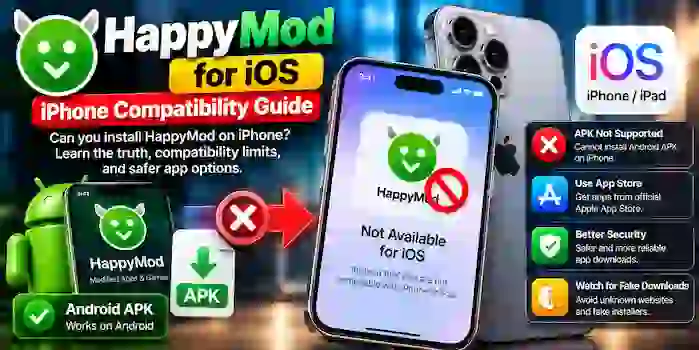
Many iPhone users search for HappyMod for iOS to find modified apps and games similar to those available through third-party Android app platforms. However, Android APK files are not designed to run directly on an iPhone or iPad.
iOS uses a different application format and security system. Before downloading anything that claims to offer HappyMod for PC, users should understand the compatibility limitations, recognize misleading download claims, and consider safer alternatives.
What Is HappyMod for iOS?
HappyMod is commonly associated with third-party Android applications and modified game versions. The phrase “HappyMod for iOS” usually refers to attempts to access similar content on an iPhone or iPad.
An Android APK cannot be installed directly on iOS because the two operating systems use different app formats and technical requirements. A website offering an iOS version does not automatically mean that an official, working iPhone app exists.
Always verify product availability through a trustworthy source before installing software.
Does HappyMod Work on iPhone?
HappyMod’s Android APK files are not directly compatible with iPhones. iOS applications use Apple’s supported distribution and installation methods, while Android APKs are designed for Android devices.
Consider these key points:
- APK compatibility: An Android APK cannot be installed directly on a standard iPhone.
- iOS app availability: Check whether a legitimate iOS application is listed by a verified developer or an official distribution source.
- Third-party websites: A download page may advertise an iPhone version without providing a genuine or functional app.
- Device security: Avoid websites that ask you to install unknown configuration profiles or provide sensitive account information to access an app.
Why Do Websites Advertise HappyMod for iOS?
Several websites use phrases such as “HappyMod iPhone download” or “HappyMod iOS latest version” to attract people looking for modified apps.
Some pages may provide general information, while others may offer unrelated downloads, misleading installation instructions, or files that do not work as advertised.
Before trusting a download page, check the developer’s identity, the application’s supported operating systems, and the authenticity of its claims. Be especially cautious when a website promises that an Android APK will work on every iPhone without limitations.
How to Find Apps for iPhone Safely
If you want an app or game on your iPhone, use a source that supports iOS and provides verifiable developer information.
1. Check the Apple App Store
Search for the original app in the Apple App Store. Review the developer name, description, recent updates, ratings, and requested privacy disclosures before installing it.
2. Visit the Developer’s Official Website
If you cannot find an app in the App Store, check the developer’s official website for current availability and supported platforms. Do not rely on copied download buttons or unofficial pages claiming to represent the developer.
3. Review Permissions and Privacy
Understand what information an app collects and which permissions it requests. Be careful with apps that ask for unnecessary access to contacts, photos, location, or other personal information.
4. Avoid Unknown Configuration Profiles
Do not install configuration profiles, certificates, or device-management settings from unfamiliar websites just to access a promised modified app. These settings may affect device configuration or privacy.
5. Keep iOS Updated
Install iOS updates through the device’s official settings. Updates can provide security improvements and compatibility fixes.
HappyMod for Android vs. iOS
| Feature | Android | iPhone or iPad |
| App format | APK for compatible apps | iOS-compatible application format |
| Direct APK installation | Supported in certain circumstances | Not supported directly |
| Main app source | Google Play and other sources | Apple App Store and supported distribution methods |
| Compatibility | Depends on Android version and device | Depends on iOS version and device |
| Security considerations | APK source and permissions matter | App source, permissions, and iOS security matter |
The main difference is operating-system compatibility. A file intended for Android does not become an iOS app simply because a website labels it as an iPhone download.
Common HappyMod for iOS Problems
The Download Button Does Nothing
The website may be outdated, the link may be broken, or the page may be advertising an unavailable application. Avoid downloading unrelated files from pop-ups or redirected pages.
An APK File Downloads but Will Not Open
This is expected on an iPhone because APK files are intended for Android. Look for an iOS-compatible version from a verified source instead.
A Website Requests an Unknown Profile
Treat this as a warning sign. Do not install unfamiliar profiles or certificates merely because a website promises access to HappyMod.
The App Is Missing from the App Store
Availability may vary by region, developer, and current distribution status. Check the developer’s official information and avoid assuming that an unofficial download is a legitimate replacement.
Frequently Asked Questions
Is HappyMod available for iOS?
Do not assume that an official iOS version is available just because a website advertises one. Verify availability through a trustworthy source.
Can I install a HappyMod APK on an iPhone?
No. Android APK files are not directly compatible with iOS.
Is HappyMod for iOS safe to download?
Safety depends on the authenticity of the download and the software involved. Unverified websites, misleading installers, and unknown configuration profiles can create privacy or security risks.
Can I use an Android emulator on an iPhone to run HappyMod?
A standard iPhone does not provide a general-purpose Android emulator that can directly run Android APKs in the same way an Android device can. Check compatibility claims carefully.
What should I do if I want a modified version of an iPhone app?
First, check whether the developer offers the desired features through an official version or subscription. Avoid unofficial downloads that require sensitive information or weaken device security.
Conclusion
HappyMod for iOS is a common search term, but Android APK files cannot be installed directly on an iPhone. Websites advertising an iOS version should be evaluated carefully because their claims may not reflect genuine compatibility or official availability.
For a more reliable experience, check the Apple App Store or the verified developer’s website, review privacy information, and avoid unknown profiles or suspicious download links.
Related Reading: HappyMod PC and iOS Compatibility, HappyMod Safety Guide, HappyMod APK Download, and Android APK Installation Permissions.
1 thought on “Can You Install HappyMod on iPhone? iOS Compatibility and Safety Guide”